
Download ESPN Cricinfo – Live Cricket Scores, News, and Wicket Alerts for Chrome
Overview
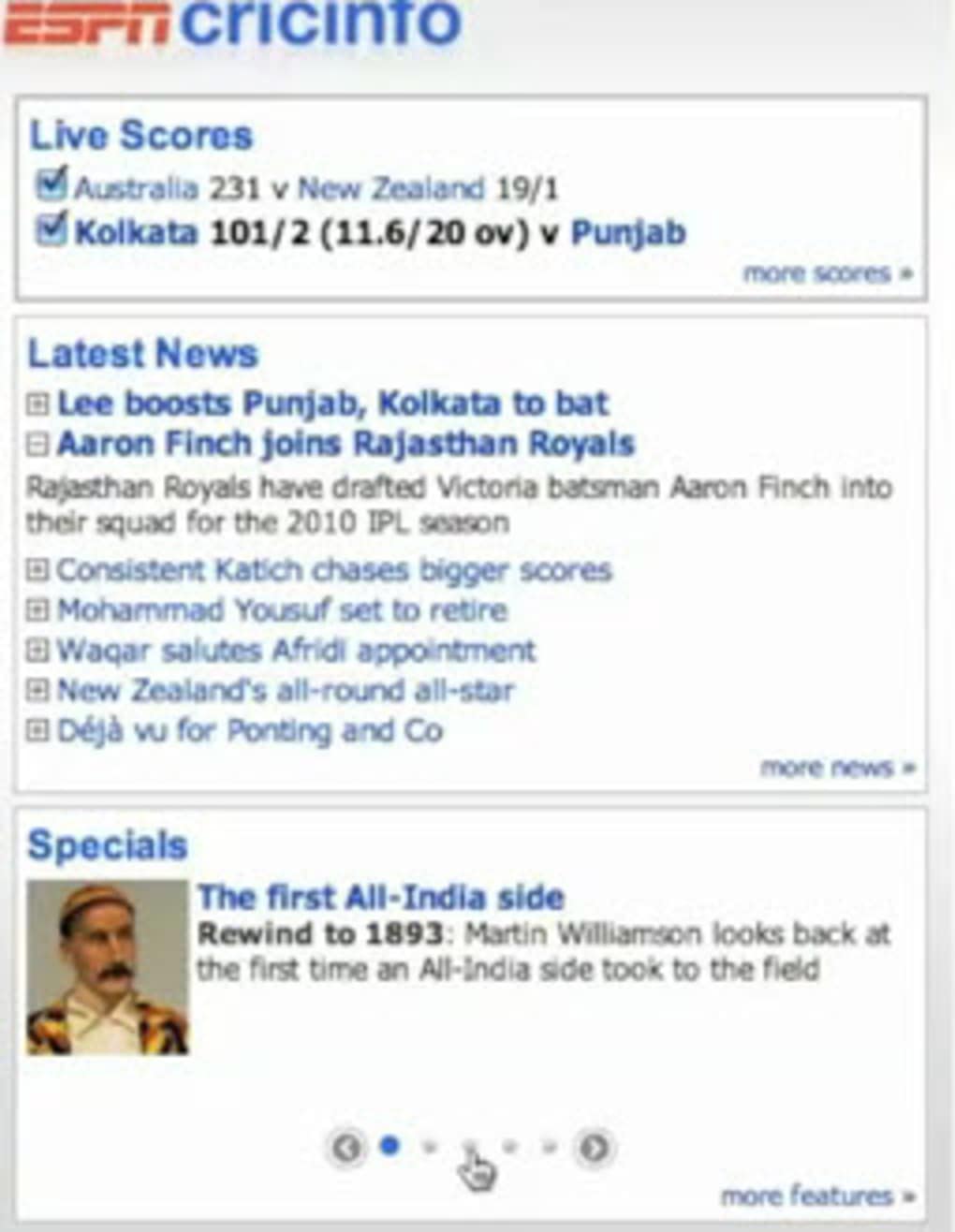
ESPN Cricinfo is a dedicated Google Chrome extension that brings the world of cricket straight to your browser toolbar. Powered by the extensive coverage of ESPNcricinfo.com, the add‑on delivers real‑time scores, breaking news, feature articles, and instant wicket alerts without the need to open a separate tab. Whether you’re following an international Test series, a high‑octane T20 league, or a local domestic competition, the extension keeps you informed with a single click or hover.
The latest update (v 1.8.4) introduces an important security patch, ensuring that data exchanged between the extension and ESPN’s servers remains encrypted and safe from potential exploits. For cricket enthusiasts who spend hours scrolling through match commentary, this tool consolidates the most relevant information into a compact, non‑intrusive UI that works seamlessly on any Chrome‑based device, including Windows, macOS, Android, and iOS (via Chrome for mobile). The blend of live score tooltips, desktop notifications, and customizable country filters makes ESPN Cricinfo a must‑have companion for fans who want to stay ahead of the game while browsing the web.
Key Features
- Live Score Tooltip: Hover over the Cricinfo icon to see the current run rate, overs, and wickets for selected matches.
- Wicket Alerts: Choose one or more matches to follow; the icon turns red with a “W” whenever a wicket falls, and you can click to view details.
- Desktop Notifications: Enable push notifications for scores, news, and wicket alerts directly on your desktop, even when Chrome is minimized.
- Auto‑News Notifications: Receive instant alerts when a new story is published on ESPNcricinfo.com, keeping you up‑to‑date with match analysis and player interviews.
- Country‑Based News Filter: Use the gear‑cog options page to limit news feeds to up to two preferred cricket‑loving nations, reducing irrelevant headlines.
- Security Update (v 1.8.4): Addresses a known vulnerability, ensuring encrypted communication and protecting user data.
- Cross‑Platform Compatibility: Works on Chrome for Windows, macOS, Linux, Android, and iOS, delivering a consistent experience across devices.
- Lightweight Design: Minimal memory footprint ensures that the extension does not slow down browsing or consume excessive CPU cycles.
Installation, Usage & Compatibility
Installation: To install ESPN Cricinfo, open the Chrome Web Store, search for “ESPN Cricinfo,” and click “Add to Chrome.” The extension will download automatically and appear as a small cricket ball icon on the right side of the toolbar. No additional software is required, and the process takes less than a minute.
Initial Configuration: After installation, click the icon to open a brief welcome screen. Here you can enable or disable desktop notifications, select the matches you want wicket alerts for, and set your preferred news countries. All preferences are saved locally, so you won’t lose them after a browser restart.
Using the Tooltip: Hover over the Cricinfo icon while browsing any website. A tooltip pops up showing the live score of the match(s) you’ve selected. The tooltip updates every few seconds, reflecting the most recent ball delivered. For detailed commentary, click the icon to open a compact overlay with full scorecards, player statistics, and a link to the full ESPNcricinfo article.
Desktop Notifications: If you enable them, a small banner appears in the lower‑right corner of your screen whenever a wicket falls or a major news story is published. You can control the frequency and type of notifications from the Options page (gear‑cog icon). Note that the “Disable notifications from ESPN Cricinfo” toggle has a known bug; the reliable way to stop alerts is to turn off “Desktop Notifications” entirely.
Compatibility: The extension is built on standard Chrome APIs and therefore works on any operating system that supports Chrome 80 or later. This includes Windows 10/11, macOS Big Sur and later, popular Linux distributions, Android 9+ (Chrome Mobile), and iOS 13+ (Chrome for iOS). Because it runs entirely within the browser sandbox, there are no additional drivers or system permissions required.
Updates & Maintenance: ESPN Cricinfo checks for updates automatically each time Chrome restarts. When a new version is available, it is downloaded in the background and applied without user intervention. The recent v 1.8.4 security patch demonstrates the developer’s commitment to keeping the extension safe and up‑to‑date.
Pros and Cons
Pros
- Instant live scores without opening a separate website.
- Wicket alerts provide real‑time excitement for match followers.
- Customizable news filter lets you focus on your favourite cricketing nations.
- Desktop notifications keep you informed even when Chrome is minimized.
- Lightweight and non‑intrusive UI respects your browsing experience.
- Cross‑platform support ensures the same functionality on desktop and mobile.
- Regular security updates protect user data and maintain trust.
Cons
- The “Disable notifications” toggle is currently broken, requiring a full disable via the Options page.
- Only two countries can be selected for news filtering, which may be limiting for users following multiple teams.
- Desktop notifications rely on Chrome’s permission system; users who block notifications may miss wicket alerts.
- No built‑in match schedule calendar; you must manually select matches to follow.
- Occasional lag in tooltip updates during high‑traffic matches, though still acceptable.
Frequently Asked Questions
How do I enable desktop notifications for wicket alerts?
Open the extension’s Options page by clicking the gear‑cog icon, scroll to the “Desktop Notifications” section, and toggle the switch to “On.” Chrome will prompt you to allow notifications from ESPN Cricinfo; click “Allow.” Once enabled, you’ll receive a small banner each time a selected match records a wicket.
Can I use ESPN Cricinfo on my Android phone?
Yes. Install Chrome for Android, then visit the Chrome Web Store (or use the “Add to Chrome” link from the desktop version) and add the ESPN Cricinfo extension. The icon will appear in Chrome’s toolbar, and all features—including live score tooltips and notifications—work on Android devices running Chrome 80 or later.
Why does the “Disable notifications from ESPN Cricinfo” button not work?
This is a known bug in the current version (v 1.8.4). The button’s state is not saved correctly, so notifications continue to fire. The reliable workaround is to go to the Options page and turn off “Desktop Notifications” entirely, or disable the extension temporarily from Chrome’s extensions manager.
How can I limit news to only my favourite cricketing nations?
Click the gear‑cog icon on the extension toolbar, then select “News Filter.” From the dropdown, choose up to two countries whose cricket news you want to see. The extension will now display only stories related to those nations, reducing irrelevant headlines.
Is the ESPN Cricinfo extension safe and free to use?
Yes. The extension is free to download from the official Chrome Web Store and undergoes Google’s security review. The latest version includes a security update that encrypts all communications with ESPN’s servers, ensuring your data remains private.
Conclusion & Call to Action
For anyone who lives and breathes cricket, ESPN Cricinfo offers a compact, real‑time window into the sport’s most important moments. The live‑score tooltip, wicket alerts, and customizable news filter provide a level of immediacy that rivals dedicated mobile apps, all without leaving your browser. While the notification‑disable bug is a minor inconvenience, the overall stability, cross‑platform support, and frequent security updates make the extension a reliable companion for match days and off‑season analysis alike. If you want to stay ahead of the curve and never miss a wicket again, download ESPN Cricinfo now and experience cricket coverage the way it was meant to be—fast, secure, and always within reach.







